ENC4265
| Home | Manual Assessment Memo | Chatbot | Procedure Video | Manual | My Blog |
Table of Contents
- Wayback Analysis
- Quick Start Guide
- Reflective Blog 3
- Reflective Blog 4
- Reflective Blog 5
- Reflective Blog 6
- Reflective Blog 7
Wayback Analysis
YouTube, 2006
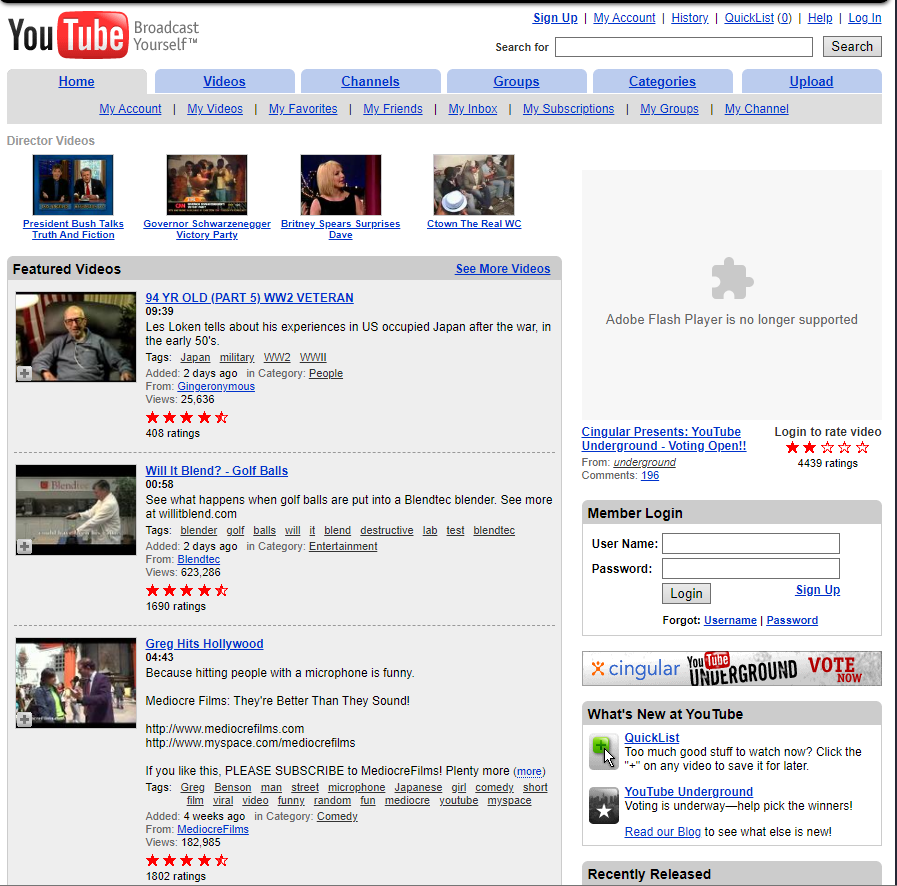
YouTube in 2006 was extremely cluttered. Listed at the top are the menu options, such as Home and Channels, similar to modern websites, however, the content underneath does not follow these modern standards.
Videos are lined up from top to bottom on the home page and displays the date added, description, and even the tags the video was uploaded under. Comparing this to modern YouTube, the details that YouTube includes in the browsing menu seem unnecessary to me and are not pleasing to the eye. There is too much information for a preview of a video.
To the right is the Member Login, which is strange to have as a sidebar on a website. I also noticed that when you scroll, the menus at the top disappear, meaning you must scroll back up to navigate to another menu.
In modern websites we expect previews of these videos and content to be simple and concise, and clicking reveals further information to the user. It is a standard that information that the typical user does not care about is hidden until clicked on. This creates a minimalist look for the site and is easy on the eyes. We also expect login pages to be their own separate page, not a sidebar on the home menu. It is very jarring because after years of websites following the same formula, seeing this type of formatting for a now very well known website is strange.
Although this site would not pass in today’s standards, visiting YouTube in 2006 felt like opening a time capsule. It is very cool to see a website that is now worth billions back when it was first starting out.

Quick Start Guide
Discord
- Click this link to download Discord. Choose your download according to your device (Windows, Mac, Linux…).
- Double click the DiscordSetup.exe file.
- If you already have an account, log in with your information or QR code. If not, click Register and fill out the sign up fields and sign in.
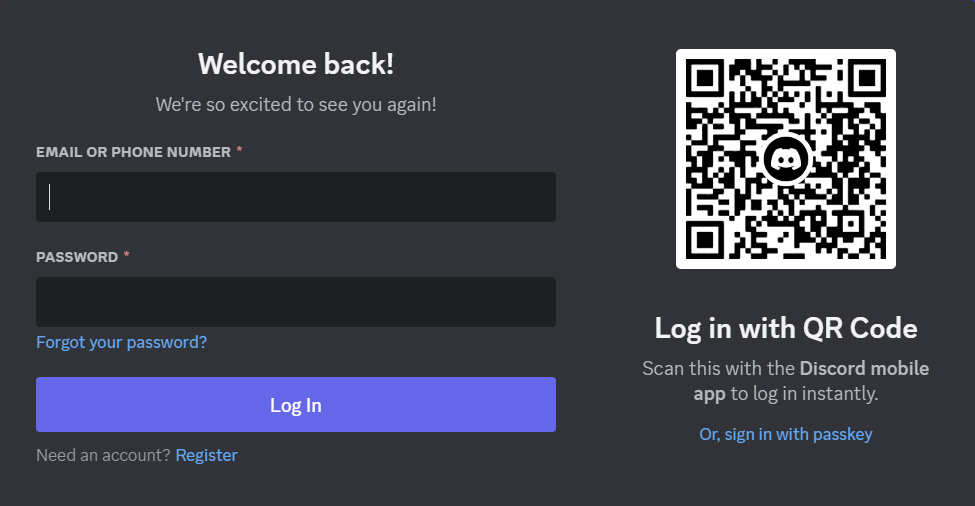
Figure 1: Discord Login Screen - Once logged in you can view the main page of Discord. To add friends, click the green ‘Add Friend’ button at the top, type in their username, and click ‘Send Friend Request’.
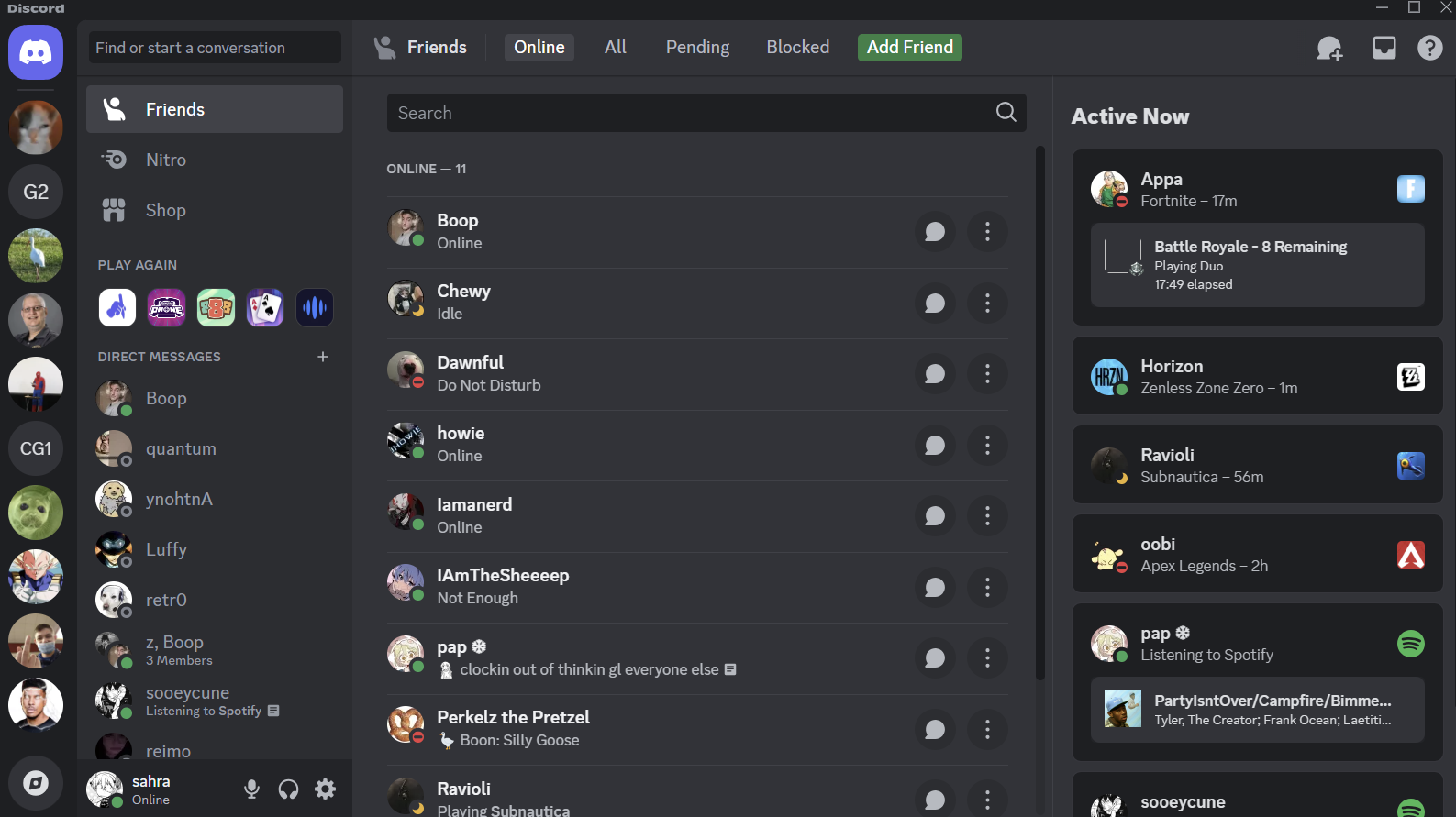
Figure 2: Discord Home Screen - To start a chat with a friend, click “All’ at the top and click the message bubble icon next to the friend you would like to message.
- To start a direct message with multiple friends, click the ‘+’ next to ‘Direct Messages’ and check the box next to the friends you would like to add to the DM. Then click ‘Create DM’.
- To start a call, click the three dots next to the message bubble icon on your friends list. Here you can start a video or voice call. Alternatively, click your Direct Message with the user you would like to call and click the viceo or phone icon to start a video or voice call.
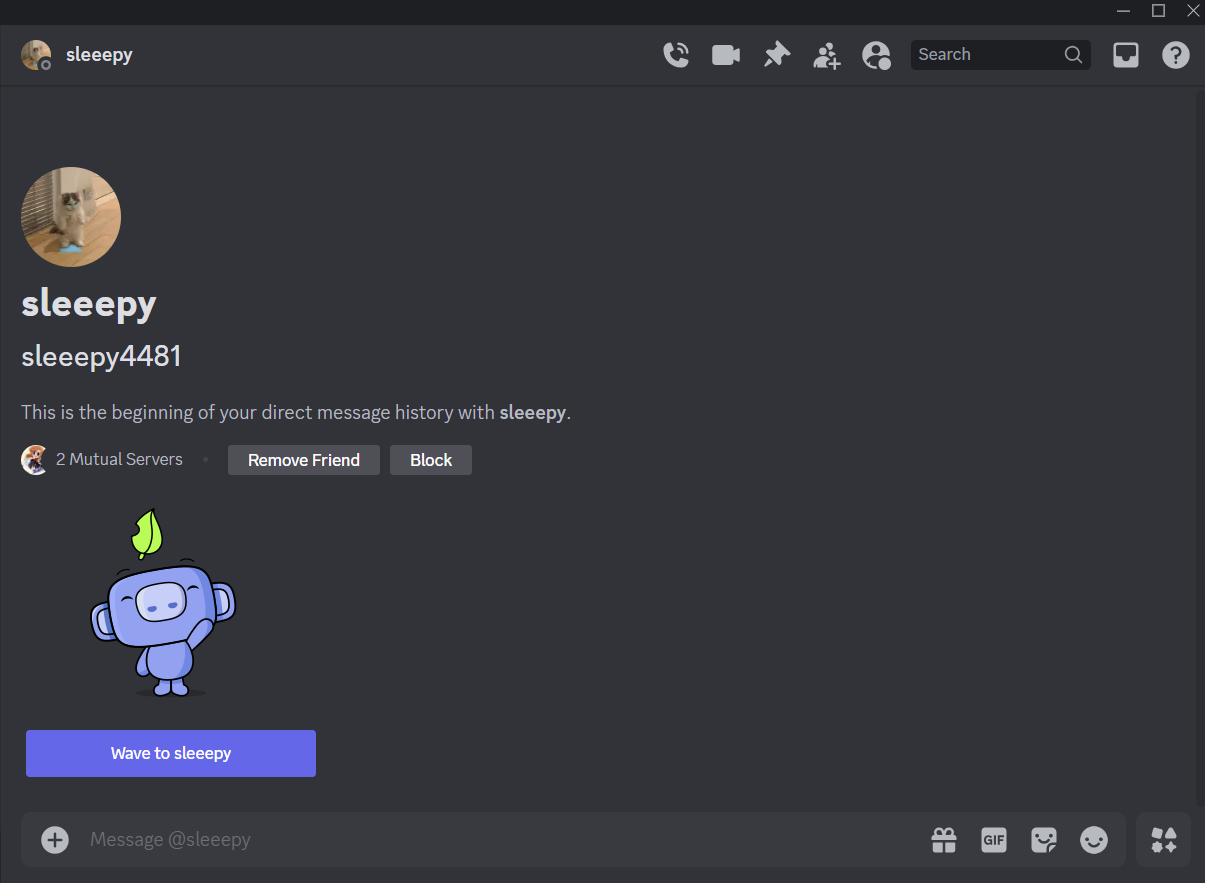
Figure 3: Discord Messages Page - To set up your camera and microphone for calls, click the gear icon at the bottom left of the home page next to your username. Click ‘Voice and Video’ under App Settings. Here you can set up your input and output device. If you are unsure which device to use, select the Default.
- To create or join an existing server, click the ‘+’ icon on the left side. Click ‘Create My Own’ to create a server, or click ‘Join a Server’ and paste a server invite link to join an existing server.
- To browse public servers, click the compass icon at the bottom left of the app and click to join any server that interests you.
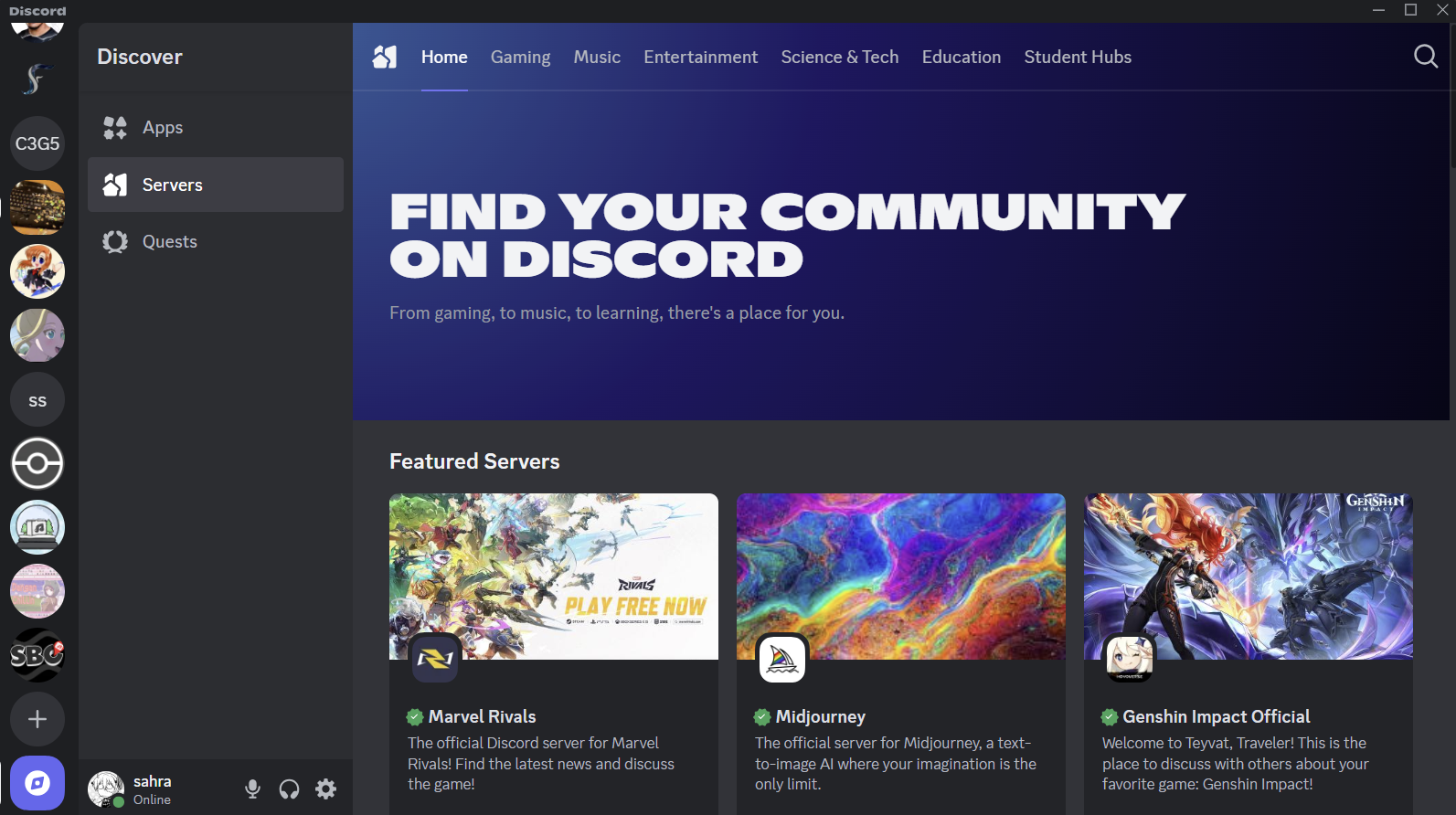
Figure 4: Discord Discover Menu
Reflective Blog 3
Prompt E: Analyze a chatbot (e.g., customer service, virtual assistant). Spend at least 5 minutes interacting with it & exploring its functionality. Then, reflect on the bot’s: purpose (What is the chatbot designed to do?, functionality (how well does it perform its tasks?), user experience (was it easy to use? What were the strengths and weaknesses?), and context (how does it benefit users and the organization?)
UPS Chatbot
Purpose & Context
The UPS chatbot was created to assist UPS customers in questions about shipping, tracking updates, billing, and account information. The chatbot allows users a quick way to answer questions without waiting on an answer from customer service. UPS customer service agents may now be dedicated to specific issues and do not have to spend time answering simple questions.
Functionality & User Experience
The chatbot is able to answer basic questions about delivery and shipping. It can provide links to shipping details and even answer questions about your own delivery if given the tracking number. The bot is easy to use, often asking yes/no follow-up questions to further narrow down your issue.
Strengths
- Fast answers to common questions.
- Available 24/7 when real customer service representatives are not available.
- Can answer questions about specific deliveries.
Weaknesses
- Occasionally, the chatbot will provide an answer that has nothing to do with the prompted question.
- For example, I asked the bot “Will I be billed after delivery?” and the bot responded by saying I could reschedule my delivery.
- If your issue or question is unique/complicated, you may need to contact a real customer service representative for a helpful answer.
This reflective blog is free of synthetic text.
Reflective Blog 4
TBD
Reflective Blog 5
Prompt R: After you have completed the Chatbot assignment or any assignment using AI for most of the work, reflect on your interaction with this emerging technology: What does AI do well? What does it not do well? What did you have to correct or re-prompt it to modify? What can you know about its training data? What kinds of data was included? What kinds of data was excluded? What do you think the future holds as this technology is used and further advanced?
Honkai: Star Rail Chatbot
Strengths: AI does well in scanning documents for specific details. For example, if you ask the bot a question and the relevant information is in different parts of the documents, it will compile the relevant data all in one place for you and give you a detailed summary. It also does well in imitating a personality. I gave my chatbot the personality of the companion Pom-Pom from the game Honkai: Star Rail. It was able to mimic the cheerful way he speaks and gave the bot a cute touch.
Weaknesses: The chatbot took some time to generate a response, even asking it simple questions regarding the game. I also had to re-prompt the AI to not use the word “bouncing” so much because the bot would get really repetitive in its responses, attempting at being very cheerful. I included data from the website https://www.prydwen.gg/star-rail/. This website is a community made wiki and a database for Honkai: Star Rail. It used all of the data that was available in text form on the website, however, it was unable to determine characters based off of the pictures displayed. For example, there is a list of the fastest clearing characters for a game mode, however instead of names the site uses pictures. The bot was unable to determine which characters the pictures were, and instead only knew the clear times as these were text based.
Future of Chatbots: In the future, chatbots will most likely be able to answer complex questions and provide more knowledge than a human customer service rep could, especially if trained on large databases.
Reflective Blog 6
TBD
Reflective Blog 7
Prompt K: Use any generative AI to generate an assignment (or some other piece of writing) that you have already completed. Share the prompt you used, the results you received, and a brief analysis of the strengths and weaknesses of the software.
ChatGPT Quick Start Guide for Discord
Prompt: “Create a quick start guide for setting up discord.”
Results:
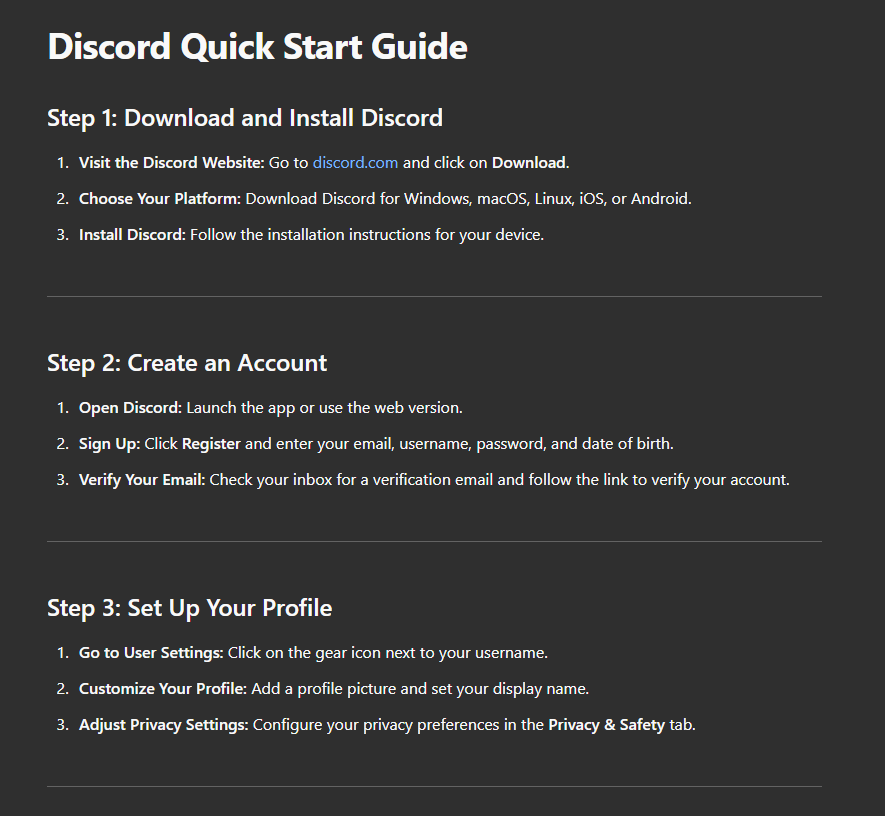
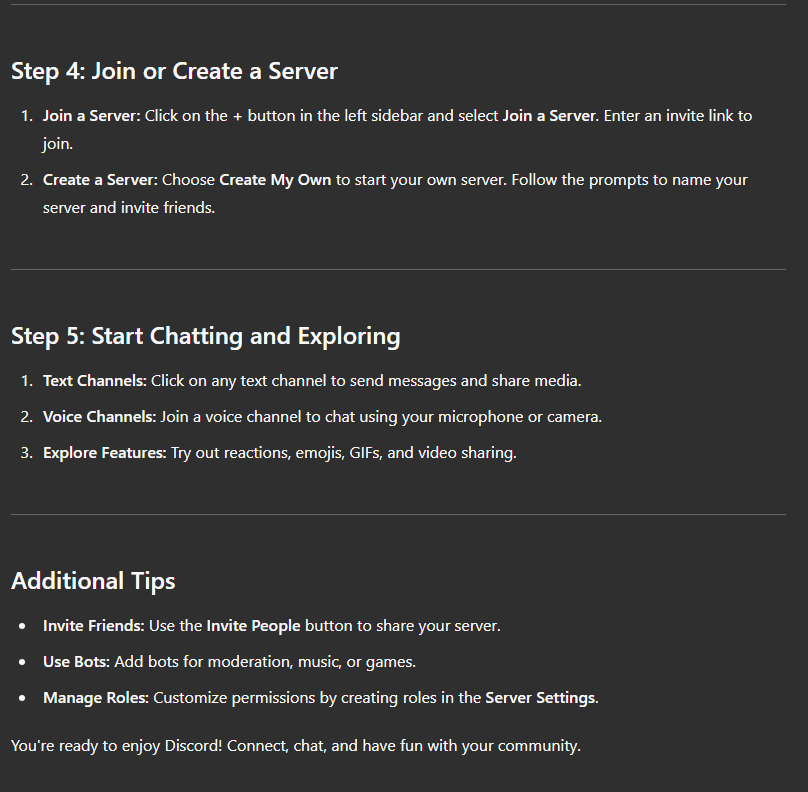
Strengths: I used ChatGPT to generate the quick start assignment. ChatGPT did a good job organizing the steps using headings and bold text. The instructions are also concise and clear.
Weaknesses: One major downside to using ChatGPT in creating guides is the inability to add pictures that aid in understanding the instructions. After the original prompt, I asked ChatGPT, “Can you add images of the software?” and ChatGPT responded saying it added images, however nothing was actually added to the results. This is a large disadvantage over creating traditional guides because images are very helpful tools for following along with a guide. The instructions may also be a bit too concise. A guide should have detailed instructions that allow new users to follow along easily.
This Reflective blog was created using ChatGPT to generate the guide using the prompt “Create a quick start guide for setting up discord.”. The analysis is free of synthetic text.